
REMOTE Workforces
By Stephane McShane
The COVID-19 global pandemic forced the construction industry to make immediate changes for which many contractors were not prepared.
While the remote work model swiftly became a necessity to keep the business moving forward, this transition came with cultural and leadership obstacles that stood in the way of success.
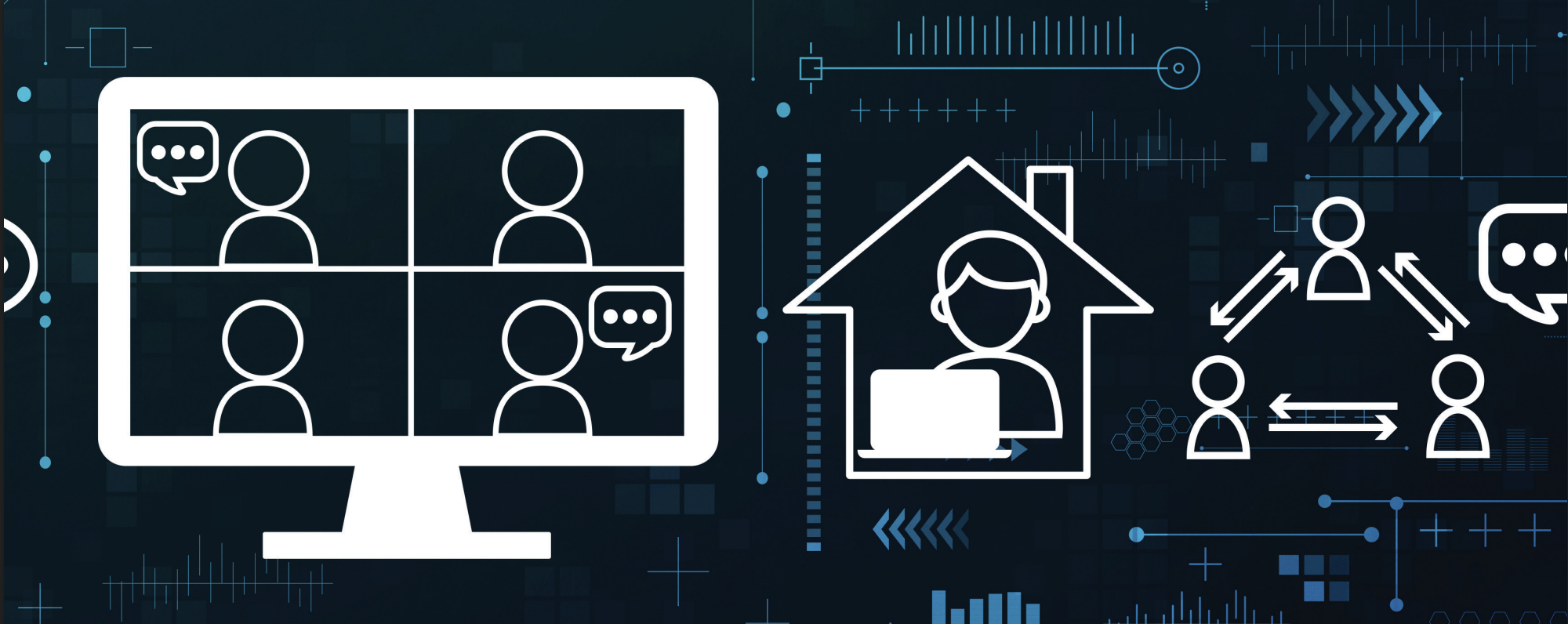
Many leaders worried how they would keep track of their employees if they weren’t in an office, proving that the operational and cultural shifts needed to prepare for the remote work generation have not yet been addressed. Field productivity also suffered its share of setbacks. Due to required social distancing, reduced staffing, and increased training and cleaning requirements, costs continued to rise. The ability to lead, manage, and quantify this impact from afar added to the stress of an already tenuous situation.
Demands of the Technology Generation
The youngest individuals in the construction industry, the millennial generation, have different needs than that of previous generations. They grew up with instant access to data, which has created a demand for real-time information. Managing by old-school “gut” instinct is replaced by data-based decision-making, with instinct as only a secondary method.

Training
For this tech-savvy generation to be successful and engaged, training programs, resource videos, workflow documentation, and mentorships will be key. Although they prefer face-to-face training, performing this virtually is an acceptable solution. What is not acceptable, however, is the trial-by-fire method of training that relies on the hope that the new hire or recently promoted individual will self-absorb what they need without a structured and measured approach to development.
Priorities
Remote work for many younger individuals is preferred, and this is partially due to the shift in priorities, as millennials tend to “work to live” vs. “live to work.” Adding to this need are the often long commutes where a “normal” 10-hour day can quickly become a 12- or 14-hour day or more, depending on where the employee lives and works.
Career Path
This younger generation must also drive their own career path, both in direction and speed. To facilitate engagement with a remote work model, expectations and clear definitions of responsibilities by position must be published for employees to review and research, so that they can make choices about where they move within the organization. It is leadership’s responsibility to ensure that there is flexibility in moving not just vertically, but also horizontally within an organization. To retain high levels of employee satisfaction and low levels of turnover, the amount of employee contact must increase, especially in the remote model.
The Advantages of Remote Work
Statistics reinforce the positivity of the remote work model. A study by Forbes has shown that teleworkers are 35-40% more productive than those who work in an office environment.1 In addition, it found that the work done by remote workers can have 40% fewer defects.
The study also showed increased levels of employee engagement, which was based on the employees feeling positive about their higher productivity and better performance. The study also cited 41% lower absenteeism. All of these factors combined to increase higher retention.
On the topic of retention, the study cited that a whopping 54% of employees would change jobs for one that offered more flexibility. After a remote work agreement is offered, the study also reported a 12% average decrease in turnover. This highlights the importance of deciding whether to be on the leading edge of remote work or risk the possibility of high turnover.
CFMA Building Profits January/February 2021
Remote work increases profitability as well. An average of $11,000 per part-time telecommuter, or 21% higher profitability, is shown in this study.2 With some of the tech giants embracing this model, the results are clear – the need for office space and all of the associated costs are reduced, which in turn drives margins up, resulting in a win-win when executed well.
Remote Meeting Best Practices
When the ability to walk down the hall to have a face-to-face conversation is no longer possible, impromptu conversations or brainstorming sessions must be replaced by strong remote meeting practices.
Make What Is Important Visible
First and foremost, determine the purpose of all meetings. If the focus is on problem-solving, then send the problem out ahead of time as prework so that attendees can share ideas during the meeting instead of wasting valuable meeting time brainstorming.
However, if the purpose of the meeting is to brainstorm, then encourage attendees to share and debate their points, paying attention to the visual clues and expressions needed for effective group communication.
If the purpose of the meeting is data centric, it is important for attendees to be able to see the data clearly on their devices.
Video Participation
Video participation is the closest thing to in-person contact. Being able to see each participant allows the facilitator to read expressions, body language, and other nonverbal cues to understand how to best manage the group. In addition, it minimizes the chances that the attendees will multi-task and divert their attention away from the meeting.
Platform Selection & Functionality
Choosing the correct remote meeting platform provides the functionality needed for the organizer to keep the attendees alert and engaged. The “raise hand” function on many platforms allows the attendees to virtually raise their hand to ask a question or contribute to the conversation without talking over each other. Additionally, some platforms have the ability to poll the attendees with questions, manage breakout sessions, and allow for a chat function – all of which are highly effective tools for collecting data, managing engagement, and encouraging participation.

Balance Time Zones
If your organization’s footprint spans multiple time zones, ensure that meetings are scheduled at times that are not painful to some of the attendees. Scheduling a meeting for 8 a.m. on the east coast when some attendees are on the west coast is unwise when you’d like for them to be awake and productive.
Limit Meeting Duration
Like most meetings, remote meetings should not exceed four hours in duration. It is difficult to keep people energized and productive for longer than that, even for the most skilled moderator. Meetings must be focused with a defined goal, guided by an agenda, and closed with an action plan to ensure follow-up steps are completed. This is especially important in a remote model so that follow-up actions can be documented, shared, and addressed to ensure a timely conclusion.
Allow Time for Socialization
Since remote meetings are replacing face-to-face interactions, building in time for socialization will benefit the group tremendously. The ability to banter, say hello, laugh, and remotely enjoy each other’s company will help to replace the team environment created when working in person at a shared location.
To help facilitate the sharing and open dialogue desired during a meeting, have attendees check in at the beginning of the meeting and share what is going on in their lives both personally and professionally. This is a good practice whether meeting remotely or in person.
Take Scheduled Breaks
Be realistic about attendees needing to get up, stretch, and take a break from remote meetings. Reengagement is best when breaks are no longer than 45-60 minutes apart so attendees can refresh and be ready for the next section.
Also, be cognizant of the distractions that exist when people are working from home. Many have children in distance learning, a spouse or significant other also working from home, pets that need attention, etc. Taking scheduled breaks so that the group can tend to these issues without it detracting from the progress of the meeting would be highly beneficial.
Technology Deployment
Having a strong technology strategy is key to ensuring that your staff has the right tools needed to do their jobs, no matter where they are working. Platforms should be evaluated, access rights defined, and security measures put in place so that remote work has the best chance of succeeding.
Technology Assessment
Construction organizations should complete a technology assessment at least once per year. Since there are a number of items to consider, some questions to ask might include:
• How many software programs are currently being used?
• Is data entry duplication prevalent?
• Do the multiple platforms used integrate with one another?
• Are there risks associated with the utilization of outdated technology?
• Do you have the right solutions to engage and retain the future workforce?
If the number of software platforms being used is unsustainable, then a migration to a more integrated approach may be warranted. If the same information is entered in multiple software programs, then there is a fair chance that a more streamlined solution is available.
Technology is evolving and improving at lightning speed, and it is the responsibility of the organization’s leadership to be open to change, taking into account the needs of the end user. Remember that millennials, who will surpass 75% of the workforce in less than five years,3 need instant, real-time access to the data and information needed to perform their jobs well.
Cloud-Based or Server-Based Access
When evaluating technology deployment, decisions must be made whether to opt for cloud-based solutions, which offer access from any location with internet access, or a serverbased approach. If a server-based approach is desired, then creating effective and streamlined pathways for remote workers to gain access to the programs that they need is paramount, while still balancing the need for keeping sensitive information safe.
In addition, many software programs have the ability to establish and manage user permissions by job title or role.
CFMA Building Profits January/February 2021
TIME DOES NOT EQUAL SUCCESS; SUCCESS EQUALS SUCCESS.
It is up to leadership to ensure that their staff knows what success looks like and to empower them to achieve it.
When deployed well, this allows quick and easy facilitation for the remote user, while also safeguarding pieces of the program that are not intended for their use.
Tools, Metrics & Reporting
Employees need transparency in how their projects or departments are performing, which feeds critical information upstream.
Dashboards
Deploying standardized dashboards built by position ensure that employees see the right information in the right priority to impact the bottom line. Dashboards should also have drill down capability so that employees can see the data behind the dashboard image without having to spend time finding the information. Examples of dashboards for project managers (PMs) might include:
• Project document status – enables the user to see what documents are overdue, coming due, or still in queue, such as requests for information (RFIs), change orders, or submittals
• Cash flow – shows the user which jobs are cash negative so that focus can be on reversing the trend
• Profit fade – identifies the challenged projects early enough to intervene and work toward mitigating the impact of loss
• Labor fade – enables the user to see which jobs, phases, areas, and tasks are challenged and forecasted to run over budget, which allows for early intervention so that a recovery plan can be put into place
• Contract revenue vs. forecasted cost – allows a visual analysis to ensure that margin fade is not being experienced by looking at a month-by-month trend
• Change order risk analysis – shows the percentage of contract revenue currently in each of the change order status codes so that executive intervention can prevent unresolved change order costs and impacts
Reporting
Reporting is a powerful tool, especially when paired with automated generation. Consider the reports needed when project staff are performing financial forecasts for the month. Normally, these include such items as the current job cost
CFMA Building Profits January/February 2021
report, labor productivity report, change order status report, and open commitment report.
First, the reports should be customized to contain the information that staff needs to easily evaluate and draft the projection, without having to search for the information from multiple sources. Second, these reports should be automated to run on the correct day of the month, grouped by project, and delivered to the appropriate person at the appropriate time using reporting engines. In this way, the PM only has to look in their e-mail for the reports needed for the projection process. No time is wasted on running the reports themselves.
On-demand reports, defined by user level and available as standards to be easily selected from a menu, are also important. Since most construction accounting software platforms contain hundreds of reports, defining the 6-12 most commonly used reports by job title and listing those as templates increases efficiency and lessens an otherwise overwhelming learning curve.
Reporting allows management and leadership transparency into the performance of their staff and projects from anywhere and at any time, easing the uncertainty of moving from an in-person model to a remote model.
Data Mining
The concept of data mining can be described as technology looking for and discovering the problems in project operations, and then sending an e-mail about it. If the data exists within the system, reports can be written to look for exceptions in the data set that fall outside of predetermined tolerances, then notifies the appropriate person (or people) so they can take action. This alleviates the need to know where to look, when to look, and what to look for in order to discover a potential problem.
For example, change order management is the nemesis of many contractors today. The risk profile of getting paid for these costly changes is exceedingly high, as is the risk of losing money if this process is not managed correctly. A report run at a predetermined time, weekly or monthly, showing every project that has more than 5% of the contract revenue spent in unapproved change orders would lessen the risk.
For instance, it would be helpful to show every project
that has spent more than 5% of its contract revenue under change order status codes such as “proceed pending” and “claim.” Since formal contract change directives have not been sent for these expenditures, they are still classified as a financial risk.
With the net profit before taxes of many self-performing subcontractors being less than 5%, it would be wise to identify early those projects that are at risk of losing profits should these outstanding issues not come to a positive resolution. This type of data mining would alert the PM, project executive, and group executive via e-mail to know where the risk is so that they may intercede and drive this to a timely and profitable conclusion.
Leading & Incentivizing
Leadership
With its financial benefits and generational demand, finding ways to encourage remote workers to interact and participate with other members of their teams will keep them tuned in. For this model to be successful, it is necessary to deploy the correct leadership model.
Dictatorship and micromanagement are inconsistent with the remote model. Moving forward, leaders must allow their staff to be self-directed and demonstrate respect at all times. They must ensure that the work is practical and focused. Workflow documentation, videos of critical work steps, and role and responsibility matrices are all tools to drive excellence, consistency, and clarity in performance.
Allowing for flexibility may be the key to attracting and retaining the best and the brightest employees. The old mentality of measuring an employee’s loyalty or effectiveness by the amount of time they spend at their desk is a thing of the past, as is working from 7 a.m.-5 p.m. Monday through Friday.
Effectiveness must be defined by utilizing key performance indicators (KPIs) and performance evaluation skillset metrics – not tracking how long the person was logged into the system for the day. Time does not equal success; success equals success. It is up to leadership to ensure that their staff knows what success looks like and to empower them to achieve it.
Incentive Programs
Incentive compensation programs are highly effective at driving increased levels of both performance and ownership. Staff should only be incentivized on what they directly con
trol, assuming overall profitability of the company. Shortages of key staff, in both the field and the office, are common. Retaining employees to facilitate growth from within is key.
For Field Staff
Incentive programs for field staff are mainly based on labor savings for self-performing subcontractors. It is important to place some guardrails around this, as it is undesirable for field leaders to achieve labor savings at all costs.
Some of those qualifications should include items such as:
• Safety incidents
• Tools/equipment breakage or loss
• Material changes/overages
Your company doesn’t want labor savings if it causes someone to get hurt, tools and equipment to become broken or lost, or the use of significantly higher priced material.
Customer management is also key as field staff have the greatest exposure to the end user. Implemented correctly, the field incentive program would encourage productivity and exemplary customer service but would discourage unsafe practices, ineffective tool and equipment management, and poor material choices. It would encourage field leaders to move closer to the collaborative model of customer management to follow the changing needs seen today.
For Project Staff
Incentive programs for project staff are normally centered around profit gain. This concept is all about the management of direct job costs, since that is what they directly control. Once preconstruction planning is completed and a constructible budget has been established, it is up to the PM to effectively administer the contract, handle change orders, oversee purchasing, manage the schedule, etc. All of these items contribute to the ability to save direct job costs, thus escalating the profit.
The guardrails normally assigned to PM incentives revolve around customer management. In other words, they cannot sever the relationship of a client that could bring in future revenue and profit simply to make more profit on one single project. With construction delivery methods shifting away from the hard bid model and further into the negotiated or design-build models, customer management is extremely high on the list of priorities for the project team.
Incentive compensation programs must have transparency throughout the project and the year to yield the results
CFMA Building Profits January/February 2021

desired. Individuals and teams must understand the parameters of how they earn their incentives, as well as have the ability to watch the pool fund due to their efforts.
Conclusion
With the many advantages of the remote work model, as well as the demand for the flexibility it offers to the employees, it would be wise to implement a strategic and structured approach for managing this transition. Training managers and leaders to effectively hold remote meetings is key.
Assessing your current technology deployment for needed improvements will shine a light on the challenges that staff are currently facing and allow for improvements to begin taking place. Training, process documentation, and mentoring will ensure that employees know how to do their jobs well. Reporting and data mining will allow for the transparency on project performance needed to celebrate successes and engage the right resources when projects are challenged.
Leadership and communication improvements, roles and responsibilities definitions, and incentive compensation tied to the desired behaviors are all positive steps in facilitating a successful remote work model.
Incentive Programs
Incentive compensation programs are highly effective at driving increased levels of both performance and ownership. Staff should only be incentivized on what they directly con
CFMA Building Profits January/February 2021
Endnotes
1. Farrer, Laurel. “5 Proven Benefits of Remote Work For Companies.” Forbes. February 12, 2020. www.forbes.com/sites/laurelfarrer/2020/02/12/ top-5-benefits-of-remote-work-for-companies.
2. Ibid.
3. Rifkin, Glenn. “Engaging the Multigenerational Workforce.” Korn Ferry. www.kornferry.com/insights/articles/engaging-the-multigenerationalworkforce.
STEPHANE McSHANE is a Director at Maxim Consulting Group located in Englewood, CO. Stephane is responsible for the evaluation and implementation processes with clients and works with construction-related firms of all sizes to evaluate business practices and assist with management challenges. Her areas of expertise include leadership development, organizational assessments, peer group facilitation, strategic planning, project execution, business development, productivity improvement, and training programs.
With a large depth of experience working in the construction industry from the field to the executive suite, Stephane is keenly aware of the business and, most specifically, operational challenges firms face. She is an internationally recognized speaker at many national and regional construction association events, as well as a mentor, author, and teacher.
Phone: 559-871-0474
E-Mail: stephane.mcshane@maximconsulting.com
Website: www.maximconsulting.com
© 2026 Maxim Consulting Group. All Rights Reserved.
